Are my videos uploaded?
Video processing runs locally on your Mac. You choose the source clips and export folder.
From DJI Log to Rec.709. On your Mac
Choose the matching camera and recording profile, compare the result, and export a batch. Video processing stays on your Mac.
0.1.0 Preview · macOS 14 or later · Universal build. Independent project; not affiliated with or endorsed by DJI.
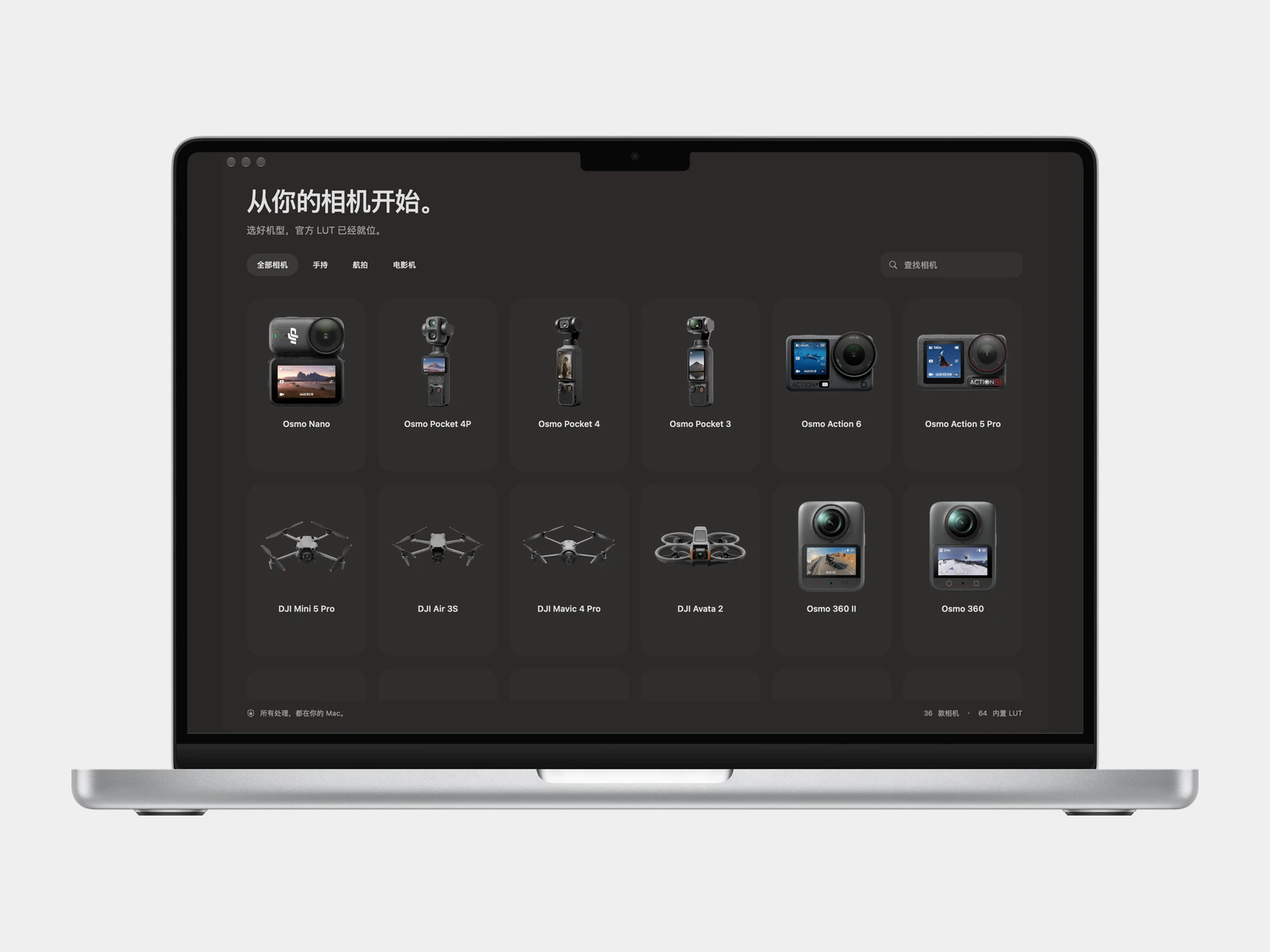
Choose the camera profile, then add one or more video clips.
Drag between the original and Rec.709 view, or play the synchronized preview.
Choose the output folder and export new HEVC Main10 files on your Mac.
Choose your camera and the profile used to record the clip. LogLift applies supported 3D technical Log-to-Rec.709 LUTs; it does not guess the encoding from a filename.
View the original and converted video with synchronized playback. Check the selected transform on your own footage before committing to a batch.
Import multiple clips and export HEVC Main10 video on your Mac. Keep source resolution, timestamps, display transform, and supported compressed audio.
Start in the camera gallery. Select a supported model and the Log recording profile that matches your footage.
Add your clips and compare the original with the selected Rec.709 transform. Confirm the result before export.
Select an export folder and start the batch. LogLift writes new files and reports completion; existing destination files are not replaced.
The preview supports one video track and at most one audio track. HLG and PQ inputs are rejected. Creative LUTs, HDR transforms, and other unsupported transforms are not enabled for conversion. Export is a lossy re-encode: ten-bit output does not add precision to an eight-bit source. Auxiliary camera, gyro, and timecode metadata are not copied. Test a short clip before a long batch; camera-specific color accuracy and Intel execution are not established by this preview.
Video processing runs locally on your Mac. You choose the source clips and export folder.
Only supported 3D technical Log-to-Rec.709 transforms can be selected for conversion. Choose the matching model and recording profile explicitly. HLG and PQ footage are not supported.
Exports use new files and do not replace existing destination files. Keep your originals: the converted video is a lossy re-encode, and auxiliary camera metadata is not retained.
The download is 0.1.0 Preview for macOS 14 or later, with Apple Silicon and Intel binaries. The app provides English, Simplified Chinese, Japanese, and Korean. The preview still needs clean-system and Intel hardware acceptance testing.
Open the release page for the disk image, installation steps, checksums, and known preview limits.