How do I know if I snore at night?
Place your iPhone beside the bed and start Go Sleep. It saves only likely snoring events as short clips you can replay in the morning.
Record. Understand. Discover
Go Sleep listens while you rest and organizes likely snoring, possible sleep talking, and cough-like sounds into clear night reports, useful trends, and a playful place to hear memorable Sound Matches.
On-device analysis · Silence is never intentionally stored · You choose what to share
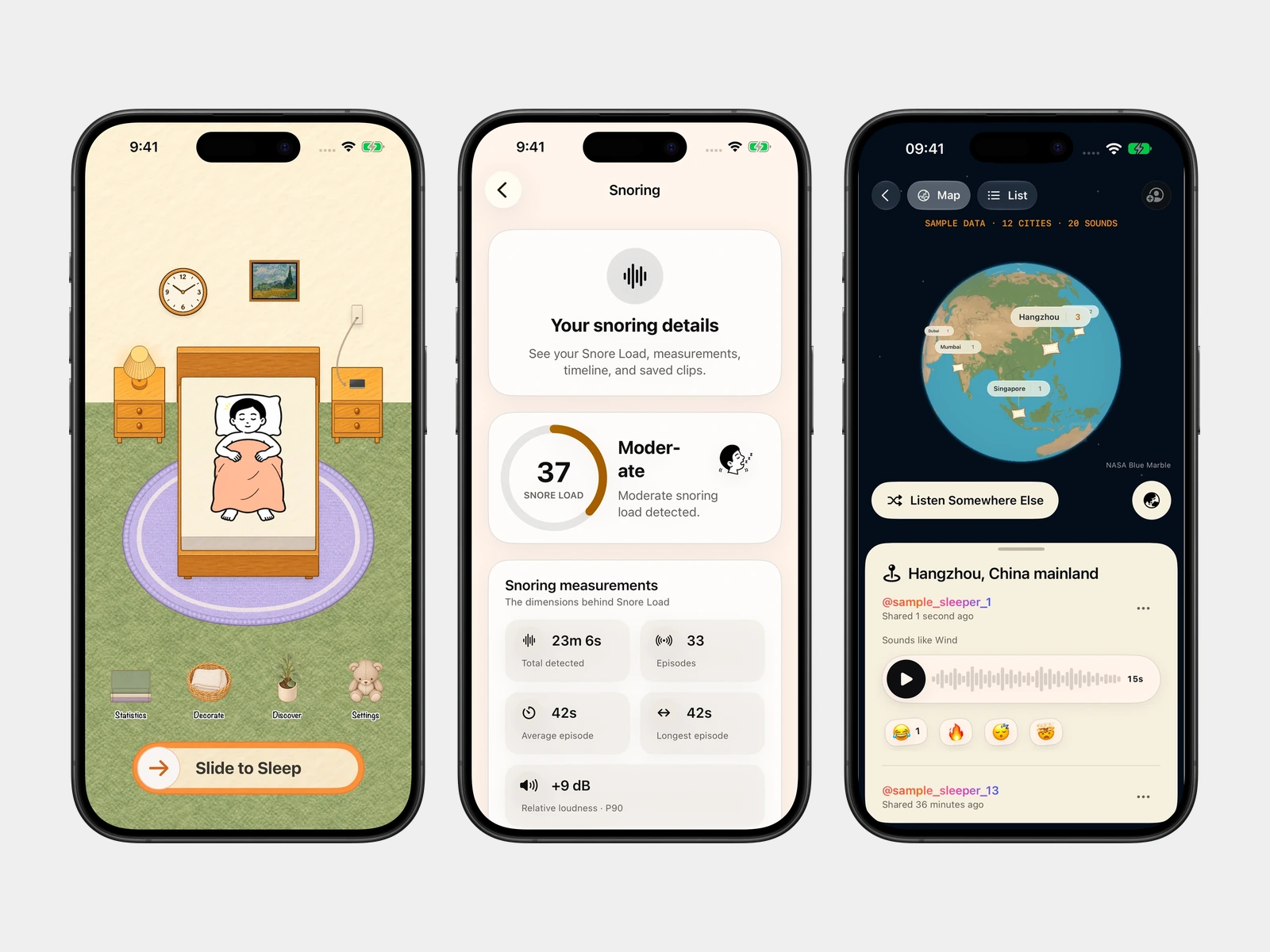
One night, three kinds of sound.
A short event you can return to in the morning.
Go Sleep focuses on the moments that matter—snoring, sleep talking, and coughs—keeps the experience understandable, and never pretends to be a medical diagnosis.
Place your iPhone beside the bed. Go Sleep analyses sound on-device and saves only likely snoring, speech-like, and cough-like events as playable clips.
Review Snoring, Possible Sleep Talking, and Cough-like Sounds separately, with Snore Load, duration, relative loudness, timing, and longer-term patterns.
Hear memorable Sound Matches from the community and share only the specific clip you choose—never your full night.
Snore Load combines several signals into one non-diagnostic wellness trend. Dive deeper only when you want to.
A playful match from Apple’s on-device sound classifier.
Audio analysis happens on your iPhone and no speech transcription is performed. Recordings stay private unless you explicitly enable iCloud Sync or choose one specific clip to publish to Discover.
Place your iPhone beside the bed and start Go Sleep. It saves only likely snoring events as short clips you can replay in the morning.
Yes. Speech-like sounds that may be sleep talking are detected on device and labelled separately from snores and coughs.
No. Silence is never intentionally stored—only short clips of detected events, and you can delete everything in-app.
No. Snore Load and nightly trends are wellness information, not a medical diagnosis.