TypeNote
Your keyboard still types. It just sounds different now
TypeNote lives in your menu bar and changes what your keyboard sounds like. Piano, ocean waves, or something you've never tried — 128 sounds, one for every mood.

Try the keyboard sounds
Interactive preview
128 sounds. One for every mood
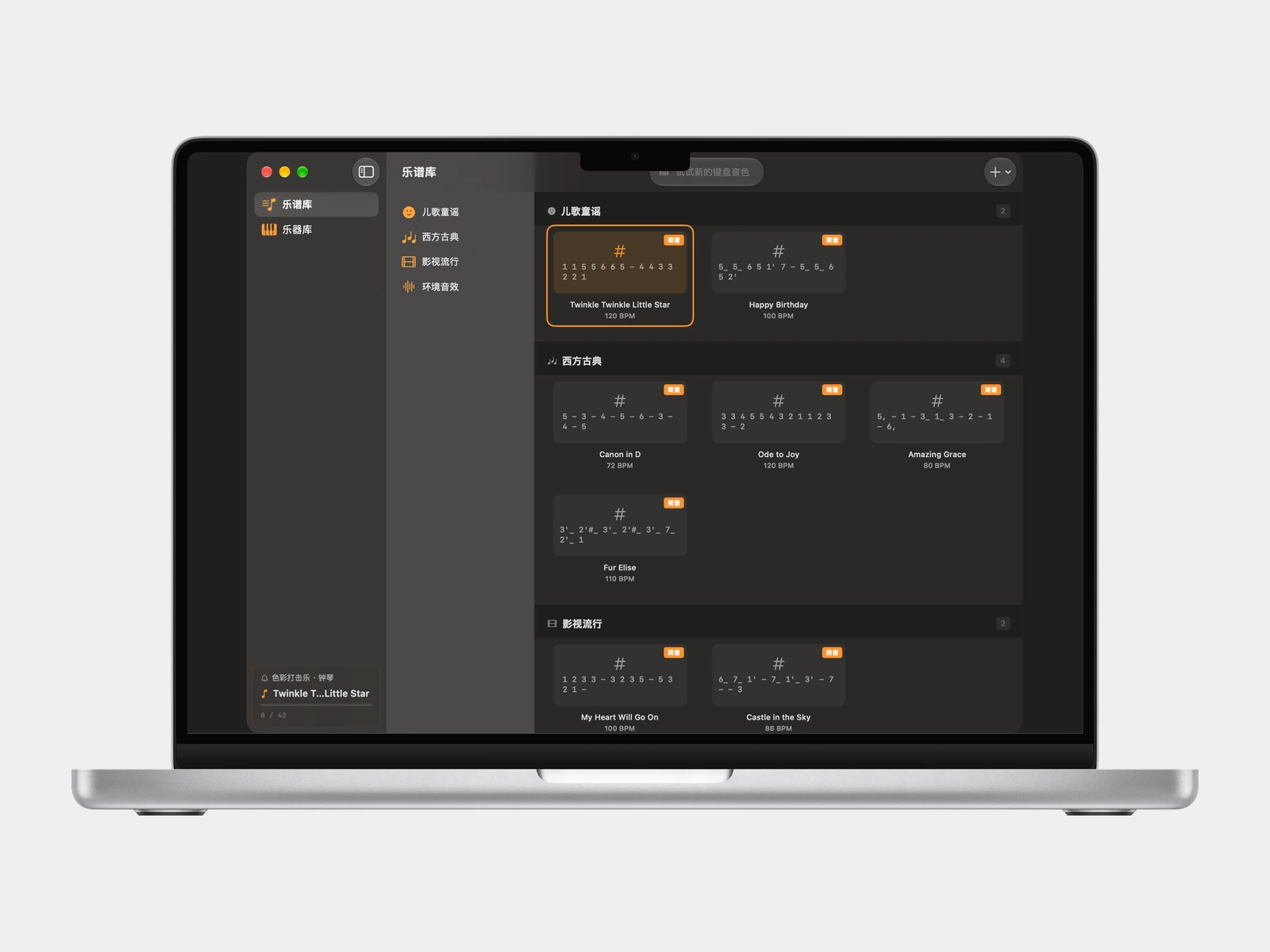
Paste in a numbered melody, import a MusicXML file, or drop in a MIDI — and your keystrokes follow the notes in sequence. A quiet way to hear a song you've been thinking about.
Jianpu numbered notation, MusicXML from MuseScore or Sibelius, and standard MIDI files. Or type notation directly in the built-in editor — no import needed.
Full General MIDI — piano, strings, brass, woodwind, synth. Import SoundFont (.sf2) files to add more.
No windows, no modes to enter or exit. Open it to change the sound, close it, keep working.
Write notation in seconds
The built-in editor uses Jianpu — a numbered system where 1–7 map to Do through Si. No staff lines. No music theory required.
1–7Scale degrees Do Re Mi Fa Sol La Si0Rest — silence for one beat1'Apostrophe = up one octave1,Comma = down one octave1-Dash = extend note by one beat1_Underscore = half the duration#1 / b1Sharp or flatTry it — Twinkle Twinkle:
1 1 5 5 6 6 5 - 4 4 3 3 2 2 1 -Private by design
TypeNote never collects your data. Everything stays on your Mac.
TypeNote captures no personal data, telemetry, or usage statistics. Not now, not ever.
TypeNote collects no analytics, telemetry, or personal data. The only outbound request is a periodic update check via Sparkle — no account, no tracking.
Audio synthesis, score parsing, and key detection all happen entirely on your Mac using native macOS APIs. Nothing leaves your device.
FAQ
What sheet music formats are supported?
Will TypeNote interrupt my regular typing?
How do I actually play a song?
One keyboard.
Infinite sounds.
Free for macOS 14 Sonoma and later. No account. No subscription. Just a different sound.
Requires macOS 14 Sonoma or later · Zero third-party dependencies